Creating Your Own World That Easy? Tony Stark Did It in a Cave — Now It’s Our Turn!

Creating Your Own World That Easy? Tony Stark Did It in a Cave — Now It’s Our Turn!
Hi!
Today, I’m here with a detailed guide on a service I’ve been eager to cover for a long time and one that I personally enjoy using.
After long and exhausting work hours, there are many ways to relax and spend time with friends. Among these, one of the least “headache-inducing” and physically demanding activities is gaming. 🎮
The online gaming industry has seen incredible growth over the past 15 years. For some, it’s a profession; for others, a hobby; and for many, an escape from the real world. Playing in a world of your own with friends, building your dreams, sometimes destroying them, or occasionally waring a dragon… I’m sure this is a dream many of us share.
That’s why today, I’ll introduce you to an AWS service that allows you to create a private gaming environment with friends or build a vast open world accessible to others. Together, we’ll learn step by step how to launch your own game server on Amazon GameLift. 🚀
Do you have any guess which game all this preparation is for?
🎮 What is Amazon GameLift? What Does It Do?
GameLift is Amazon’s cloud-based game server service designed for multiplayer games. In short, it handles all the tedious tasks of setting up, managing, and scaling servers in the background for you. You just upload your game, and AWS takes care of the rest. 🚀
So, what does it do?
- Automatic Scaling (Autoscaling): When more players join your server, new instances are launched automatically. When the number of players drops, unnecessary instances are terminated. No wasted costs!
- Low Latency: By using Amazon’s global data centers, it ensures players connect to the closest one for a fast and smooth experience.
- Matchmaking: Easily integrate matchmaking systems to connect with friends or players worldwide.
- Monitoring & Logging: You can track your server’s health, player count, error logs, and more directly through AWS.
Normally, you could run a Minecraft server on your own computer or a rented VPS, but as soon as your server grows, issues like latency, capacity limitations, and manual maintenance arise. GameLift steps in here with a simple philosophy: “If it’s working, don’t touch it. I’ll handle the rest.”
Now, let’s set up our very own Minecraft server and deploy it step by step.
⚙️ Technical Preparations and Required Setup
Before launching the server, we need to do some preparations. In this part, we will organize the game files, configure the necessary settings, and package everything in a way that GameLift can accept.
Download the Minecraft Server Files
The official Minecraft server files can be obtained directly from Mojang. Once downloaded, you can place them in a directory of your choice and run the server from that location, giving you full control over your game environment.
java -Xmx1024M -Xms1024M -jar server.jar nogui
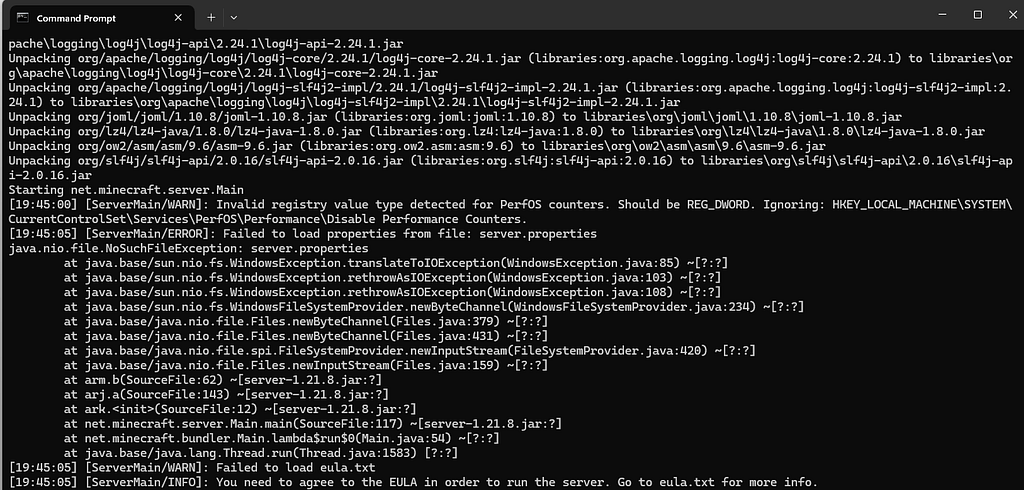
EULA Onayını Yap
In the folder where you downloaded the server files, you will find a file named eula.txt. Open this file and change the line eula=false to eula=true. This step is mandatory—without it, the server will not start.
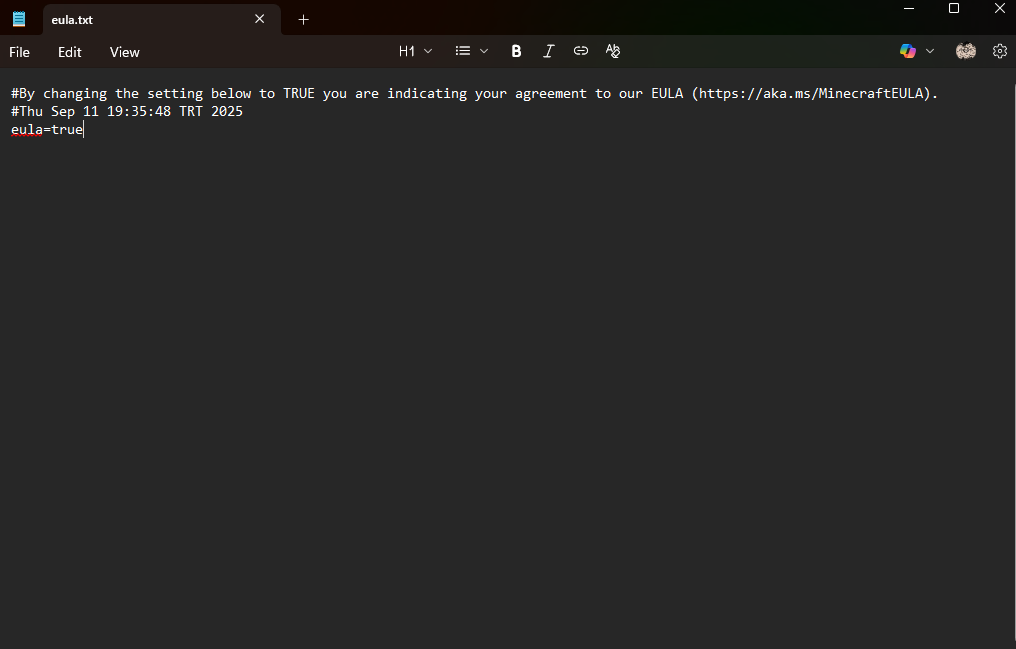
Configure Server Settings (Optional but Recommended)
server.properties file contains a wide range of settings related to your game world.
Example:
- motd=My AWS GameLift Server! → The server name.
- max-players=20 → Maximum number of players.
- server-port=25565 → Connection port.
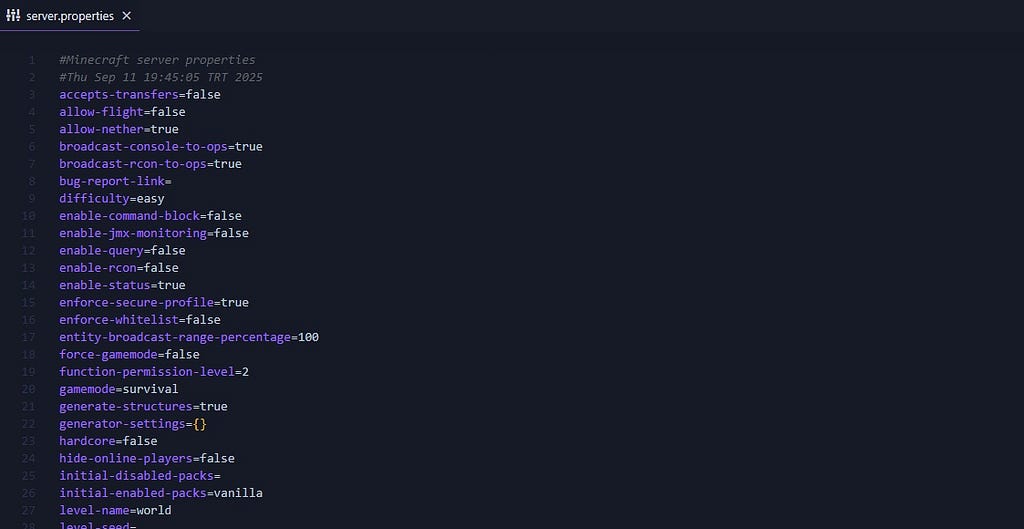
This file contains a variety of configurations, and you can refer here to see what each of them does.
Test the Server (Optional but Recommended)
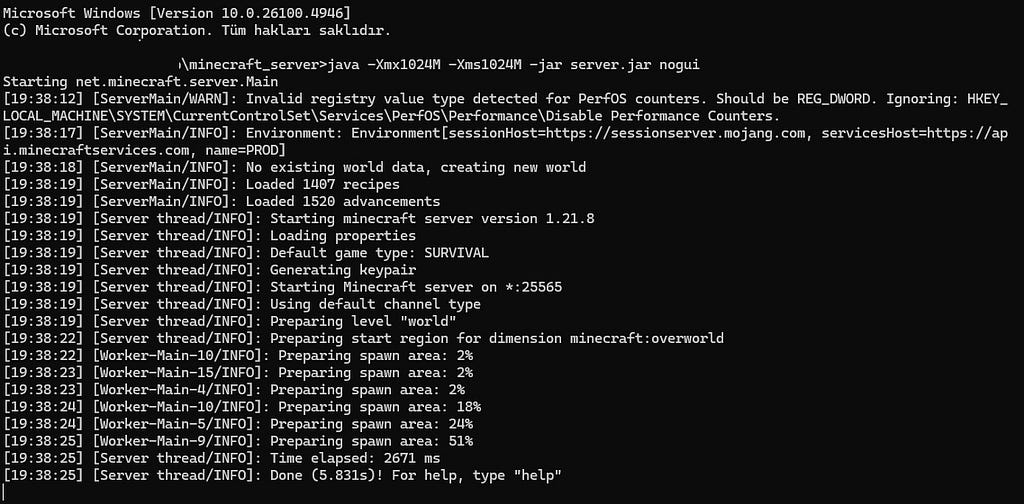
Before zipping the files, you can run a quick test on your computer:
java -Xmx1024M -Xms1024M -jar server.jar nogui

# Adjust the -Xmx1024M -Xms1024M parameters according to your system #
If the server starts without errors, it will most likely run smoothly on AWS as well. You can adjust the configurations here according to your own computer’s specifications.
Package the Required Files
GameLift expects the server files in ZIP format. Organize your folder as follows:
/minecraft-server
├── server.jar
├── eula.txt
├── server.properties
└── (other config files) - > minecraft_build.zip
Alright, for now, review the steps we’ve completed so far and play around with the game settings and a few details. In the next part, we’ll learn how to deploy this server and automate it — and then we’ll be ready to embark on an endless adventure 🤘

See you in the next part :)